Web Application Hacking
Cookie Protections
Most applications use cookies for some function, either authentication, tracking, or advertising, and they can often contain highly sensitive data and if captured can be used to impersonate users. So they need to be protected, and we can do this in two (slightly misnamed) ways:
Secure- This stops the cookie being sent over HTTPHttpOnly- This stops JavaScript from being able to access the cookie
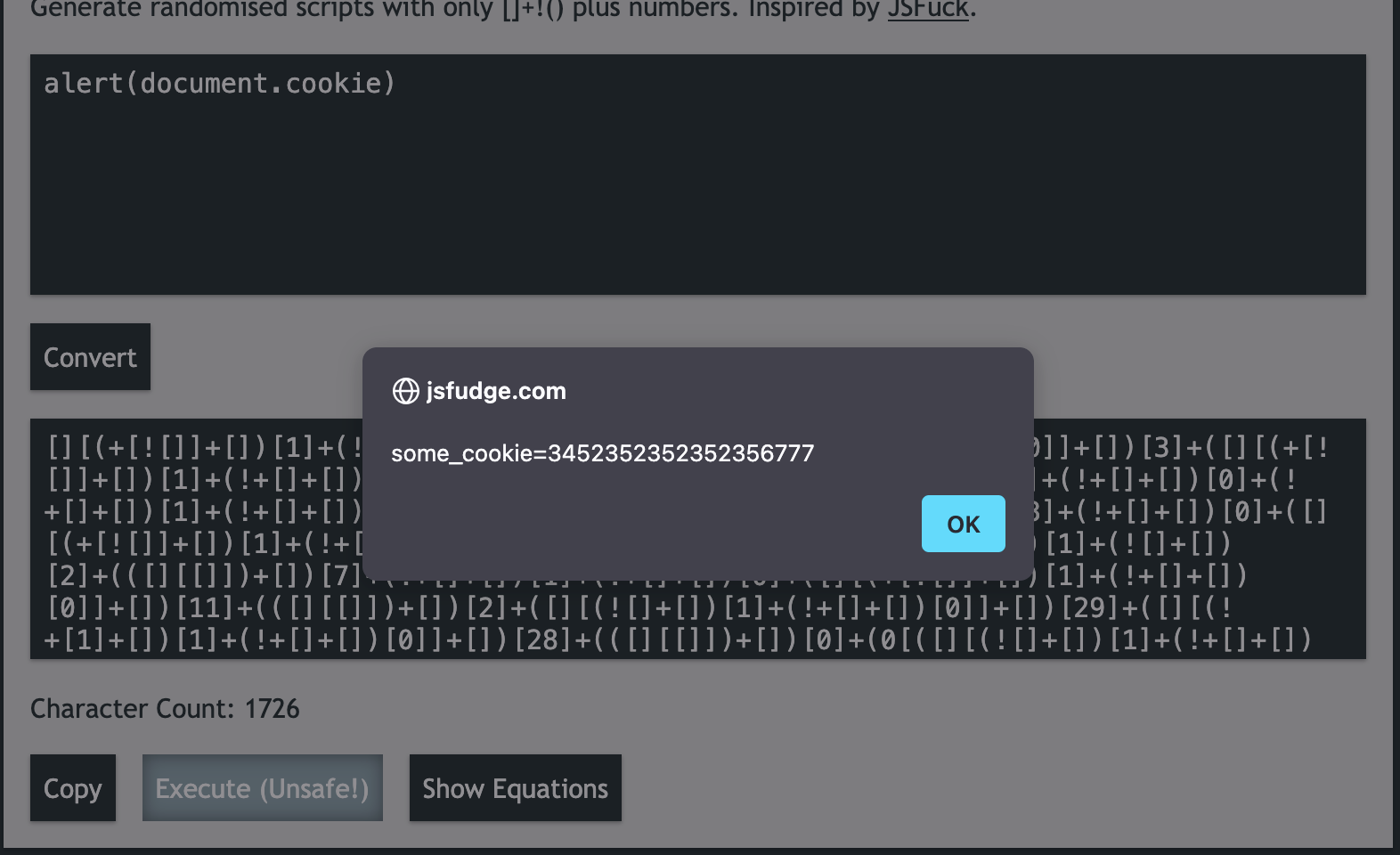

The above shows the document.cookie which we set manually using the developer tools has been leaked due to the lack of the HttpOnly flag being set to false.
And now if we change the HttpOnly value of some_cookie to true we get the following:
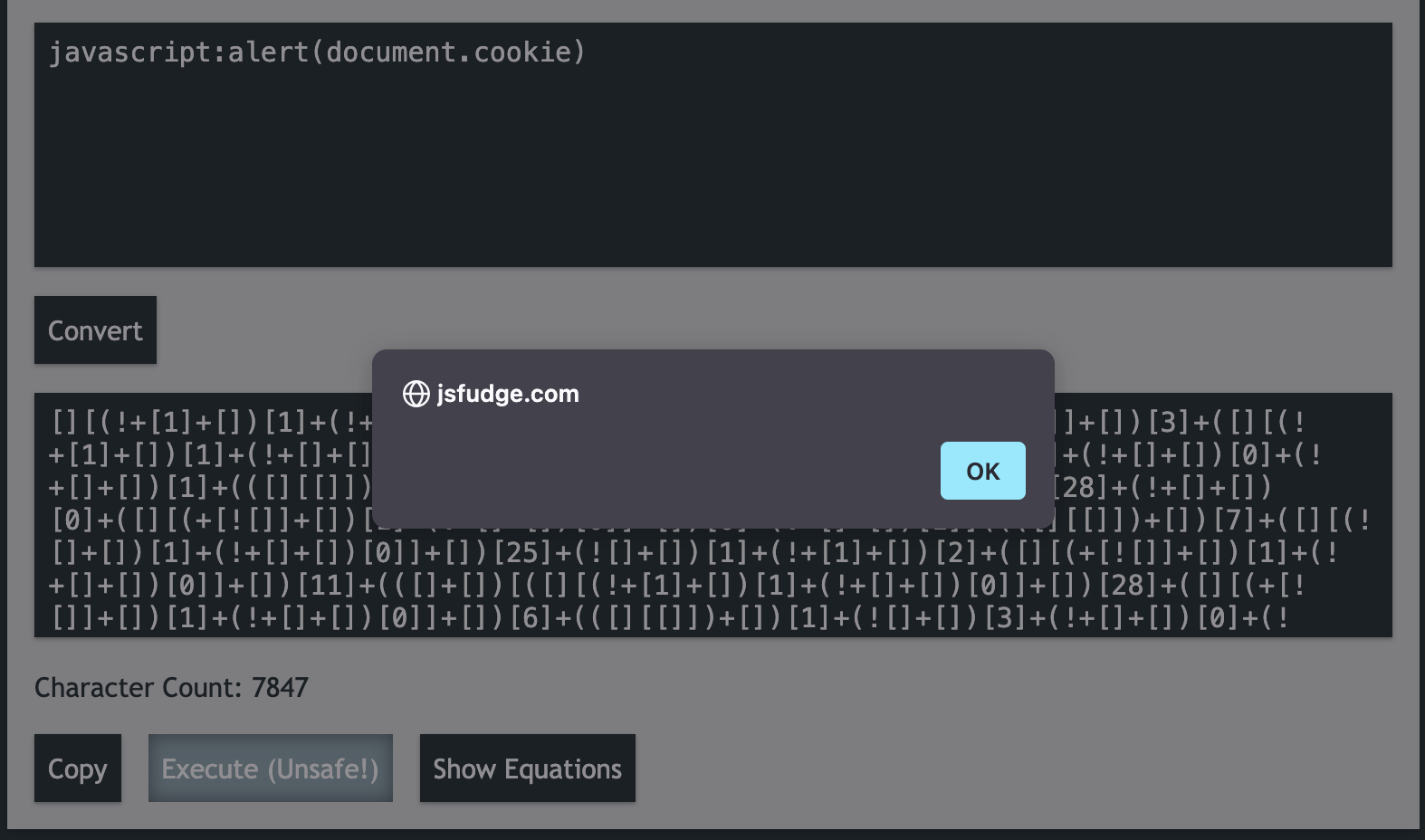
As you can see, no cookie for us 🥺
TL;DR, if you're trying to get XSS on a web application and the cookie you want to leak has the
HttpOnlyflag set to true, you're not going to have much luck leaking it.
HTTP Verbs
HTTP Verbs or Methods, are the way in which your browser informs a webserver which type of request is being sent. The most common is GET which is a simple request from your browser to the web server to "GET" some content.
Web servers will be configured to respond differently to certain Methods, so for example you might have a password form that accepts a POST request with a users credentials, or you might have a back end database that allows users to DELETE entries from a shopping list application.
OPTIONS and TRACE are interesting ones as they provide no interactive purpose and exist to provide information about the web server. So for example, you might send a web server an OPTIONS request and it responds that it can accept GET, POST, and TRACE requests. On rare occassions OPTIONS requests can lead to information leakage, so it's always worth firing one off.
TRACE is designed to be used for diagnostics, and is generally harmless, but does occasionally lead to information disclosure that could be used to further compromise the target application.
Another "common" but rarely used HTTP method is HEAD which simply returns the headers from the target server:
curl --head  "https://example.com"
HTTP/2 200
content-type: text/html
etag: "84238dfc8092e5d9c0dac8ef93371a07:1736799080.121134"
last-modified: Mon, 13 Jan 2025 20:11:20 GMT
cache-control: max-age=402
date: Thu, 27 Mar 2025 10:52:34 GMT
alt-svc: h3=":443"; ma=93600,h3-29=":443"; ma=93600,quic=":443"; ma=93600; v="43"
Note that we use
--headinstead of-X HEAD, curl is a bit funny aboutHEADrequests
A list of the common ones can be found below taken from Official Mozilla Documentation which is a great resource for information.
| Method | Safe | Idempotent | Cacheable |
|---|---|---|---|
| GET | Yes | Yes | Yes |
| HEAD | Yes | Yes | Yes |
| OPTIONS | Yes | Yes | No |
| TRACE | Yes | Yes | No |
| PUT | No | Yes | No |
| DELETE | No | Yes | No |
| POST | No | No | Conditional* |
| PATCH | No | No | Conditional* |
| CONNECT | No | No | No |
PortSwigger make a great little extention for BurpSuite which can re-send a request using the common HTTP methods so you can inspect the results to see if the webserver responds in an interesting way:
BurpSuite meth0d-man Extension
And for completeness, the following is a list of ALL HTTP methods, some of which are very rarely implemented but might yield interesting results: